
Making an AI Ad from Scratch: Houdini Blocking to Google Flow Video (a Binance Concept Piece)
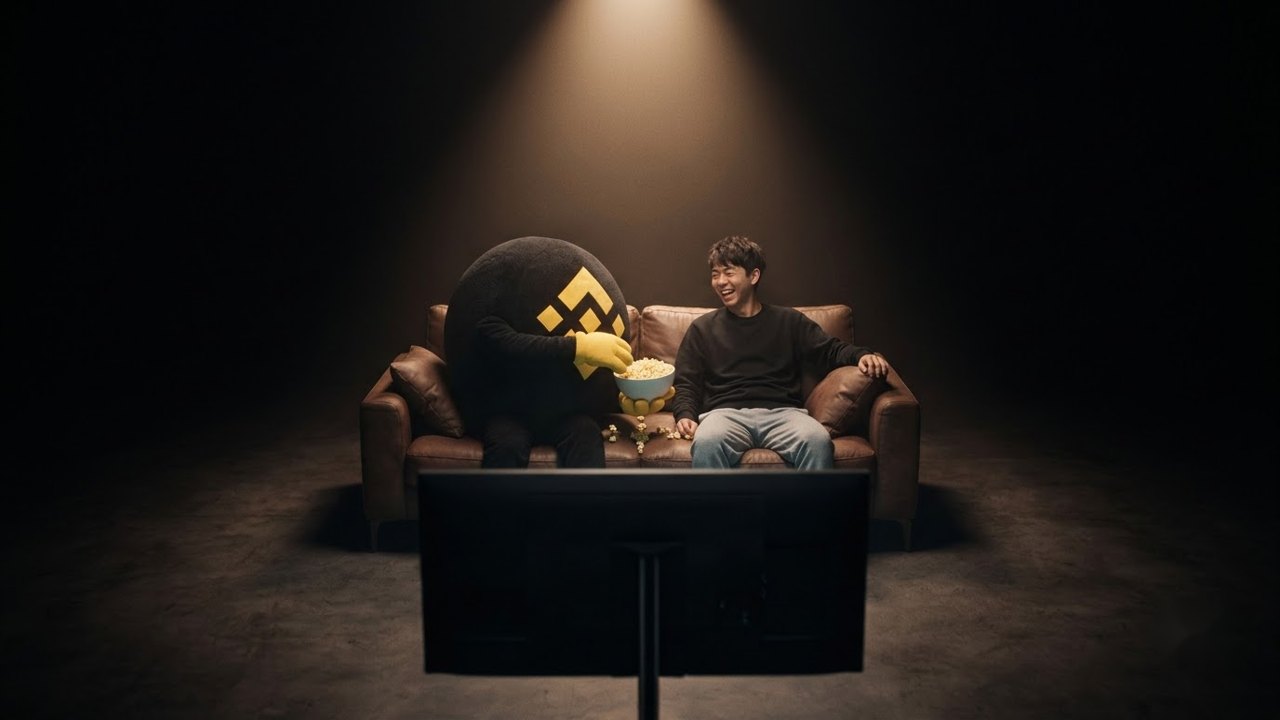
I made a concept ad, about 35 seconds with the logo end card, in 16:9 with hard cuts. A man sits alone on a sofa, crying at a drama and laughing at a comedy. A hand keeps offering him tissues, then popcorn. The reveal: the hand belongs to the Binance plush mascot, and what he was really watching all along was a trading chart.
The man is me, built from a character sheet. This post walks through the whole process: blocking, stills, video and the final edit.
Step 1: block in Houdini, then lock the look with stills
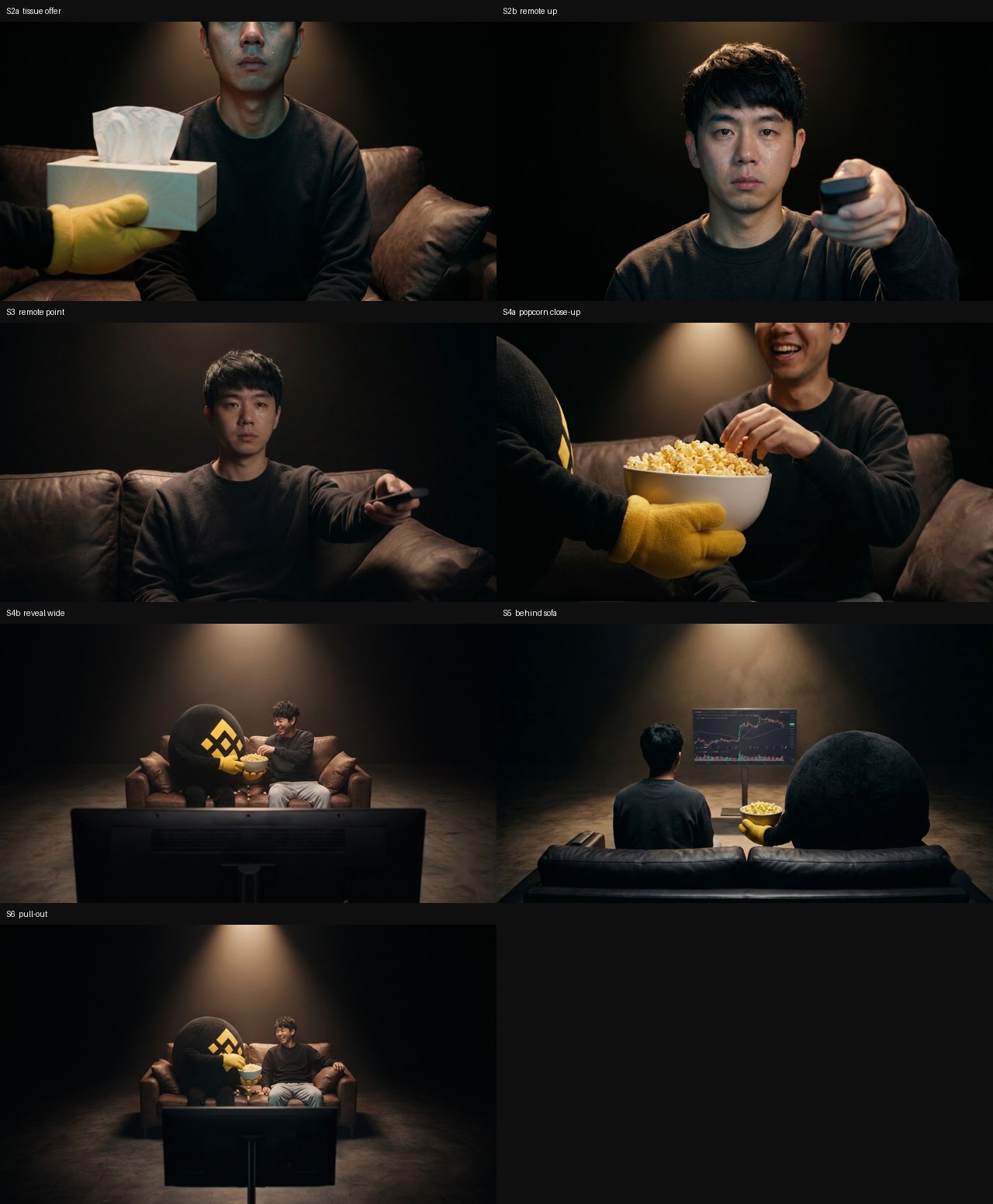
Before spending anything on video, I built simple grey-box blocking for each scene in Houdini. It fixes the three things AI is worst at: camera position, framing and who sits where (the mascot always on the sofa's left, me on the right). Then I made one approved still per scene in Google Flow. For each still I gave Flow my character sheet, the mascot sheet and a screenshot of the Houdini blocking, so the composition followed the blocking and the faces stayed consistent. Approving a still is far cheaper than approving a video, and the stills later became the references for the video.
Step 2: stills to video, one scene at a time
For video I used the Omni 1.1 Flash model in Google Flow. Wherever my face had to stay accurate I used its reference ("ingredients") mode, which takes up to three reference images. For one scene I used first-frame and last-frame mode instead, because Flow cannot take references and first or last frames together. Flow only offers 4, 6, 8 and 10 second clips, so I picked the length nearest to the planned timing of each scene and trimmed in the edit. Below, each pair shows the Houdini blocking on the left and the approved still on the right, followed by the clip I kept.
Scene 2 (10 s): the tissue
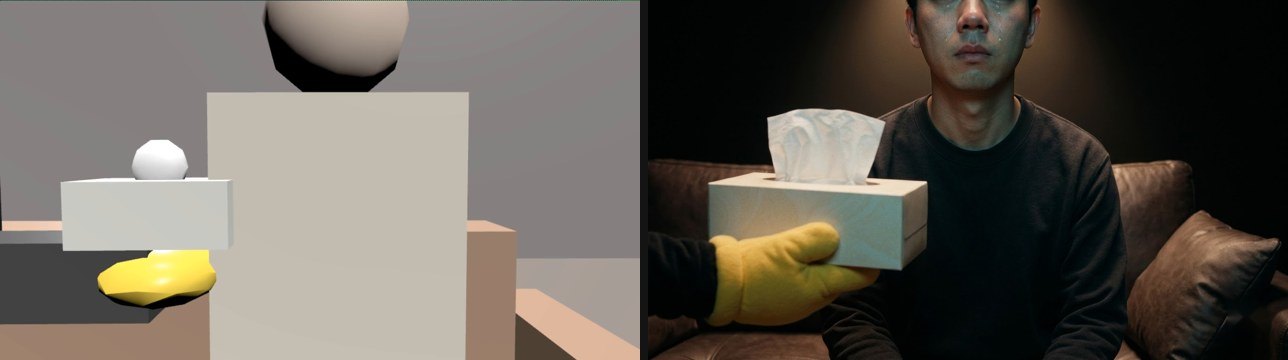
The shot starts with the tissue being offered, then the camera pans toward my face when I sniff. My first three takes put the remote in the wrong hand. Writing "left hand" or "right of frame" only confused the model more. What fixed it was first-frame and last-frame mode, where two approved stills decide the start and the end, and the last still frames my face. I also wrote in that he must not talk.
Scene 3 (6 s): the first laugh
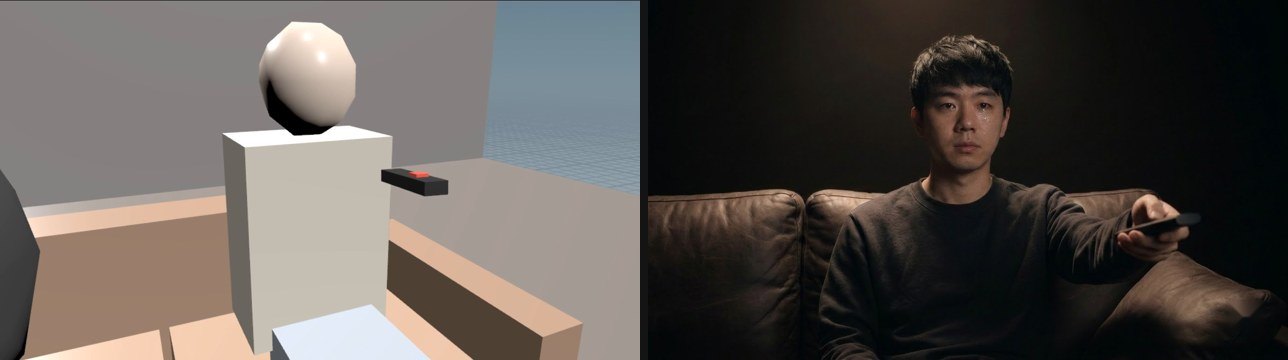
My stills kept showing too much of the sofa, but the blocking is a medium shot with only half the sofa in view. I fixed it by comparing against a screenshot of the blocking, and also moved myself to the correct side of the sofa. Two story fixes: he should not have heavy tears yet, and he looks straight toward the TV (which is the camera) instead of to the side. The prompt opens with him putting the remote down, since he already pressed the button in scene 2, then he starts to smile and laugh at his rising portfolio.
Scene 4 (6 s): the popcorn
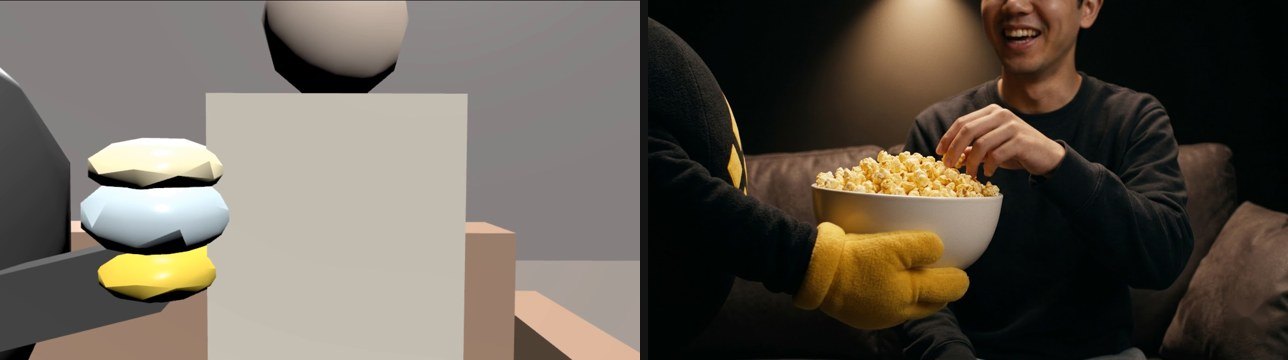
The opening shot has to be a close-up from the chest up to the nose, so the popcorn can be offered in from the left of the frame. The camera then pushes out, not in, to the wide shot from behind the TV. I used the reference mode here because I did not want the model to invent a new face for me.
Scene 5 (6 s): the back of the sofa
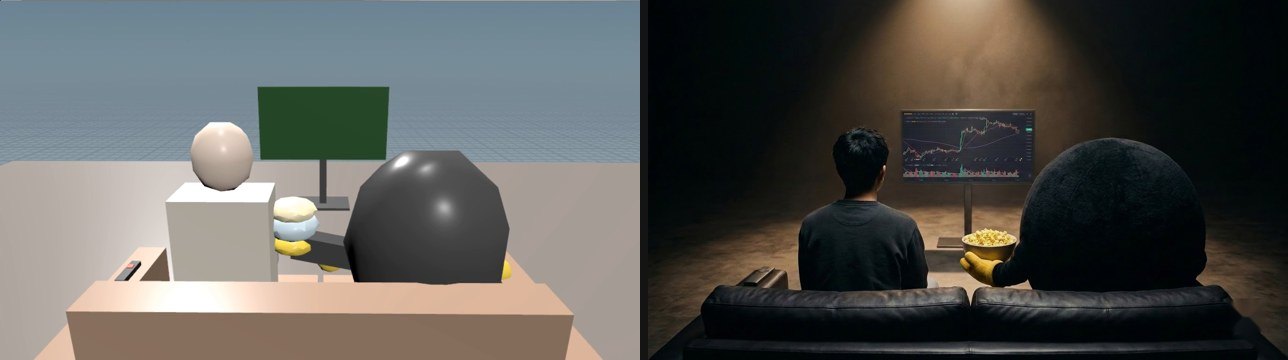
From behind the sofa, the two of them watch the chart together. I wanted him to laugh the whole time without ever turning toward the mascot, so I wrote one rule: his head stays straight at the TV, and the laughing is shown only by his shoulders moving. When he grabs a handful of popcorn he does not look at it, and the mascot stays completely still. One take also drew a mouse cursor on the chart, so I added a line that the chart moves by itself and no cursor appears. The mascot still looks a little flat and oval, which I count as a limit of the model.
Scene 6 (8 s): the reveal
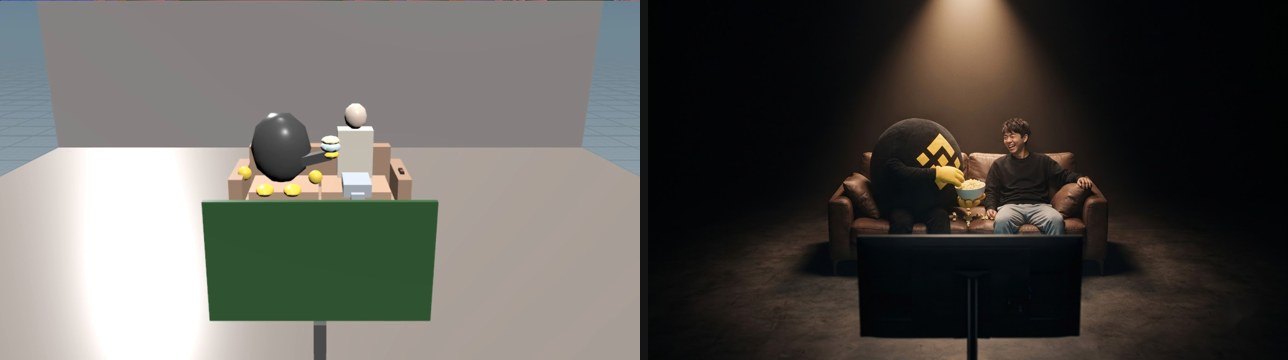
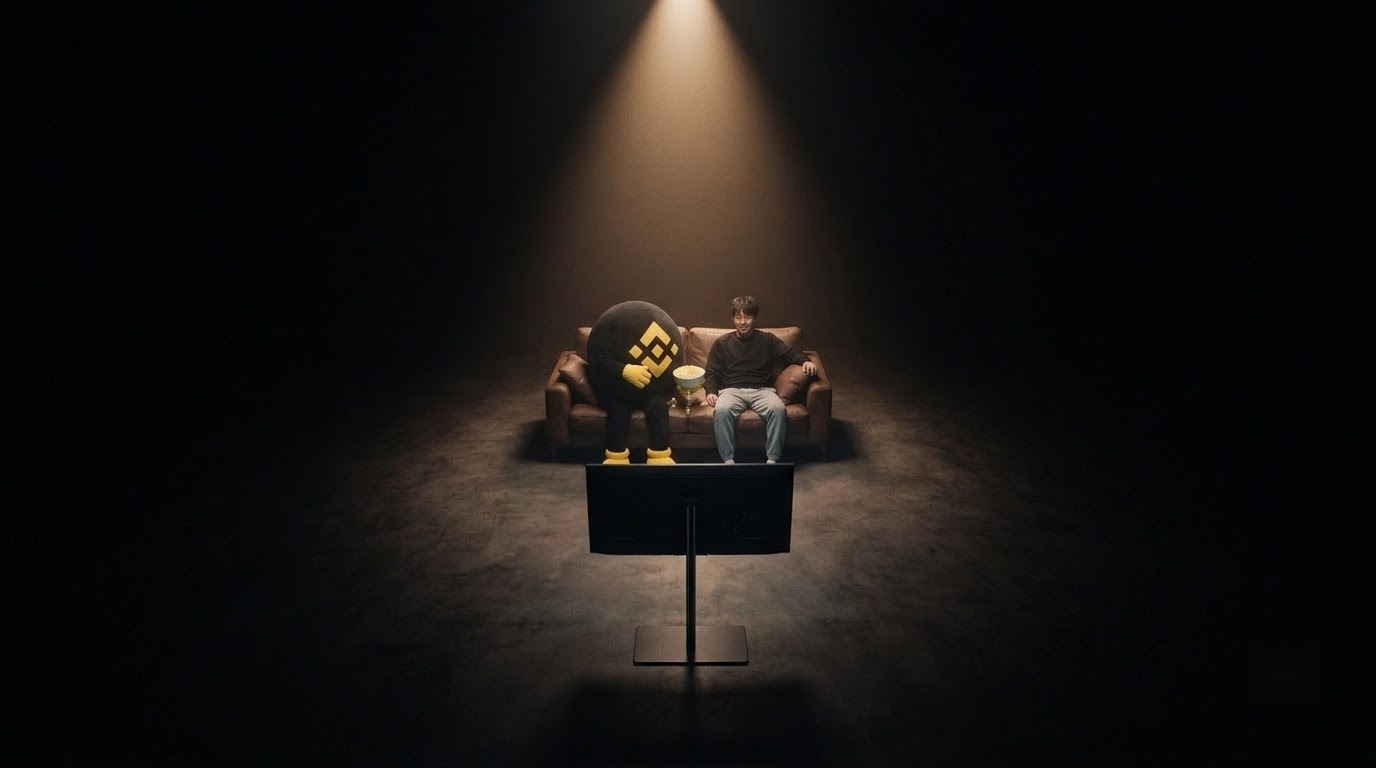
The camera pulls back to show the two of them in front of the TV, and for the pull-back I regenerated a fully zoomed-out still that includes the bottom of the TV and its stand, because the video had been inventing different TV legs. Using that still as the end frame fixed the stand. The clip above is the approved take.
Step 3: the edit in Premiere Pro
I put all the approved shots into Premiere Pro and added royalty-free music. A sad track plays at the front and a more lively one takes over later, which follows the cry-then-laugh story. I also did color adjustments so the visuals look the same from shot to shot, since every shot was generated separately.
The sound effects that came with the generated clips sounded awkward on their own, and I first planned to redo them as foley. But once the music was underneath as background music, it hid the awkwardness and somehow made the video better, so I skipped the foley.
What I took away so far
- Block first. Camera, framing and seating are what AI gets wrong, and a grey-box Houdini screenshot fixes all three before you generate anything.
- Approve stills before video. It is the cheapest place to change your mind.
- Simplify, do not over-explain. More left-and-right instructions made the remote worse. Showing the model the answer as a frame worked better.
- Write rules about what must NOT move. Head stays straight, mascot stays still, no cursor on the chart.
- Remove the Flow watermark from every clip before you cut with it.
- Music can rescue generated sound. The sound effects from the clips felt wrong alone, but under music they worked, so I did not need foley.
- Grade every shot to match. Each shot is generated separately, so a quick color pass makes them read as one scene.
This is my own concept piece. It was not commissioned by Binance and I have no affiliation with the brand. The man and the mascot are AI-generated.