
How I Turn My Video Workflows into Procedures Anyone Can Run
I like making videos, but I like it even more when the process can be handed to someone else. A workflow only counts if a person who was not there can pick it up and get the same result. Here is how I build for that.
1. A handoff package for each format
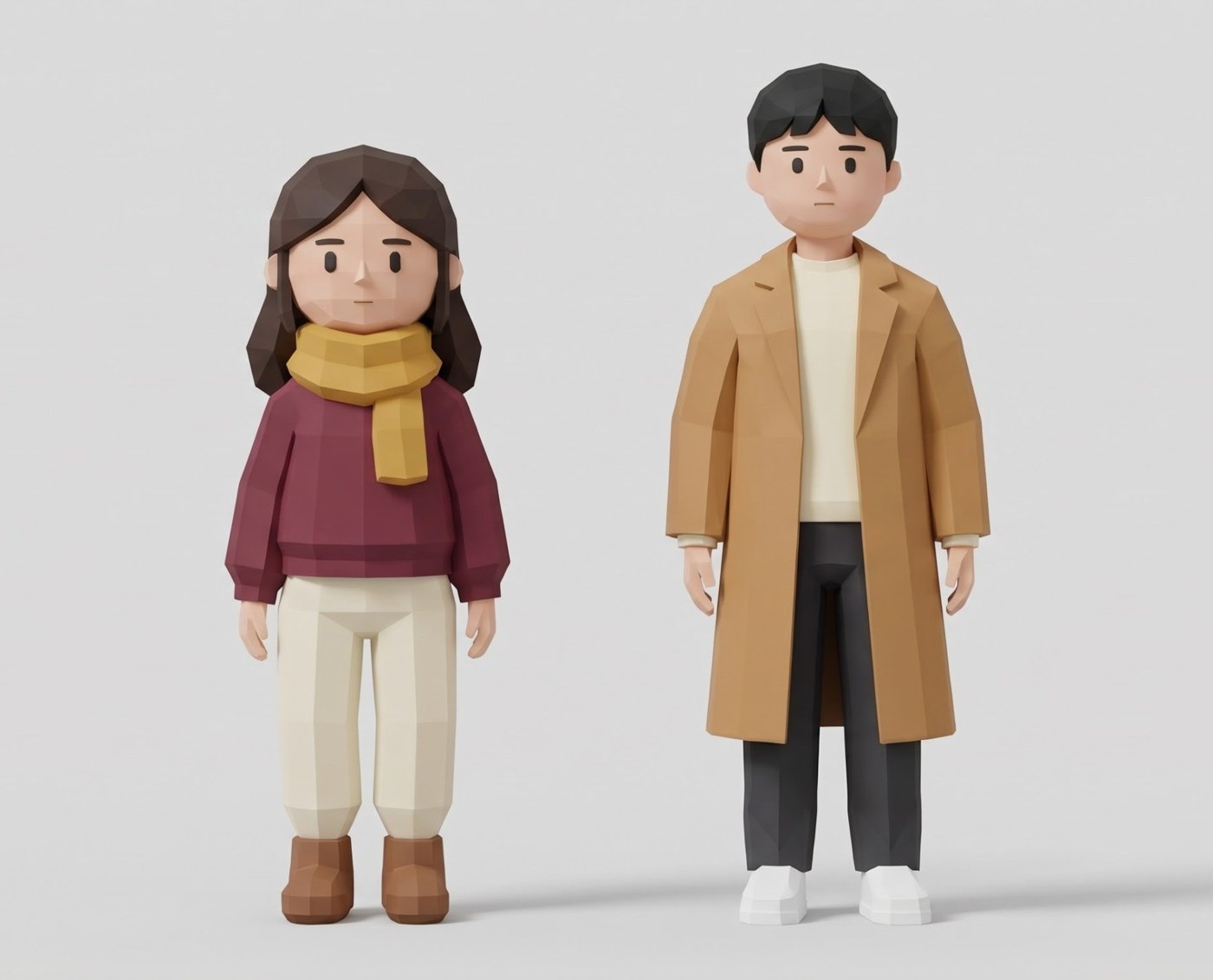
My Korean couple-skit Shorts series, 둘이 알아가는 중 ("The Two of Us Figuring It Out"), is a deadpan series made with Google Flow scenes, ElevenLabs narration and Korean and English subtitles. The whole handoff is two things: a Claude skill that holds the procedure, and the character sheet below. With those two, another person can repeat the process.

Every episode passes three human checkpoints: the script, the voiceover and the finished video. The agent does the repeatable work, and I sign off where taste matters. If I ask for changes, the work goes back one step.
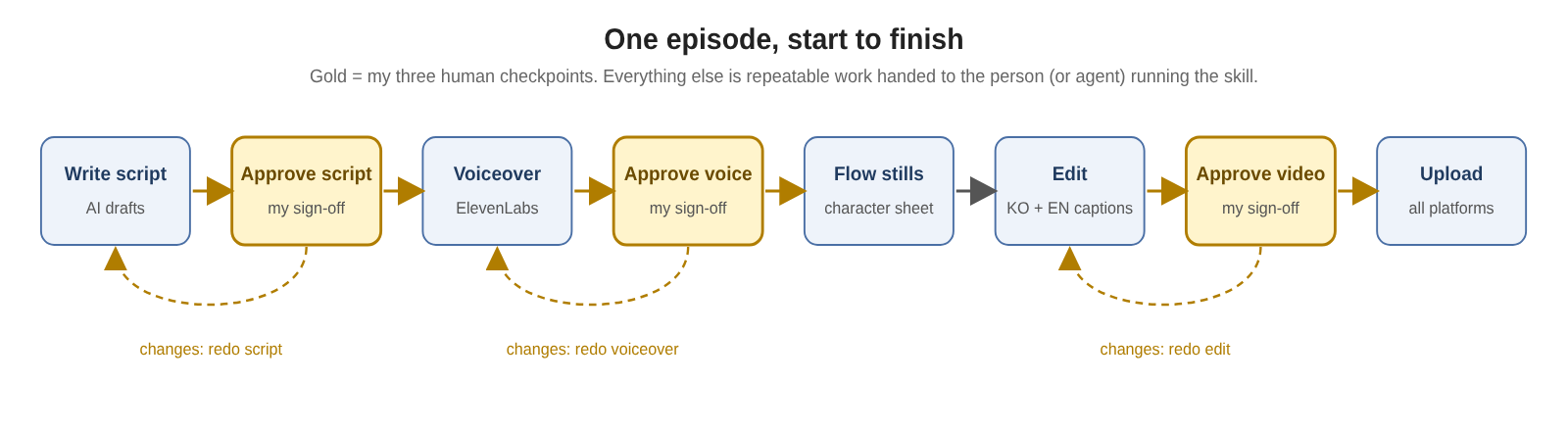
- Write the script.
- I approve the script.
- Record the voiceover.
- I approve the voice.
- Generate the Flow stills.
- Edit with the Korean and English subtitles.
- I approve the finished video.
- Upload.
My data-comparison channel, 팩폭숫자, works the same way. An AI agent (Claude) follows a written procedure for the script format, the voice, the charts, the sound mix and the scheduled upload.
2. Tools that other people use
When a step kept repeating, I turned it into a tool. I built all three of these with the help of Claude.
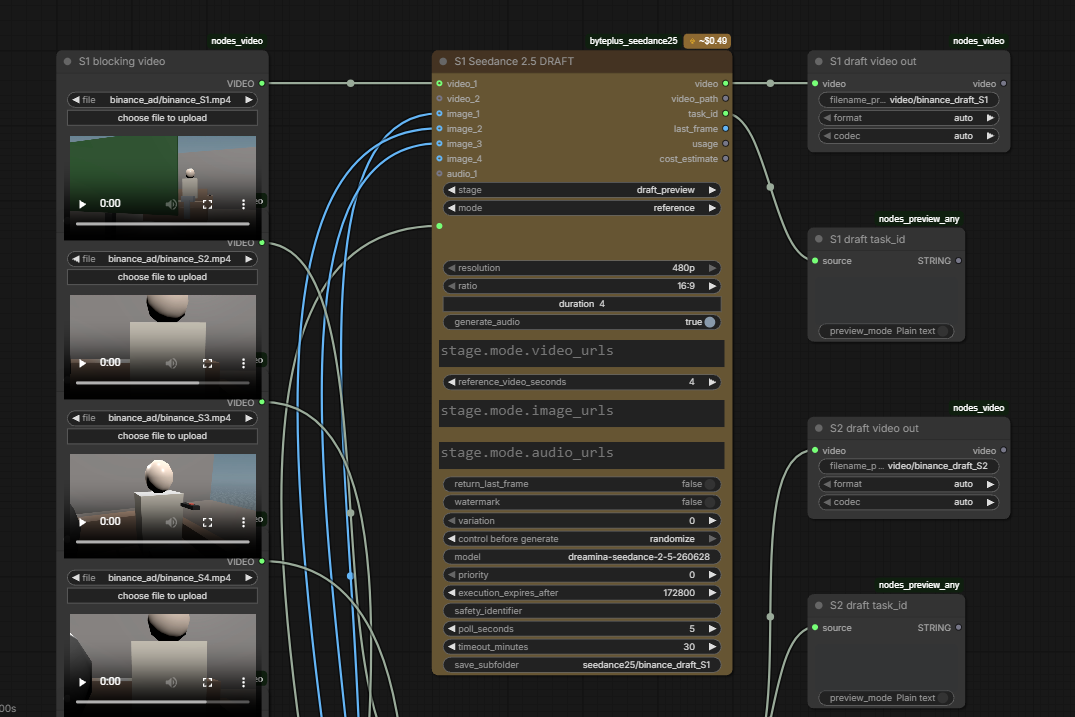
Seedance 2.5 ComfyUI nodes
I gave these to a company for free, so they could cut the cost of using Seedance 2.5 and build their own workflows inside ComfyUI. The screenshot shows the draft stage: a cheap low-resolution preview with the cost estimate on the node, before paying for the full render.
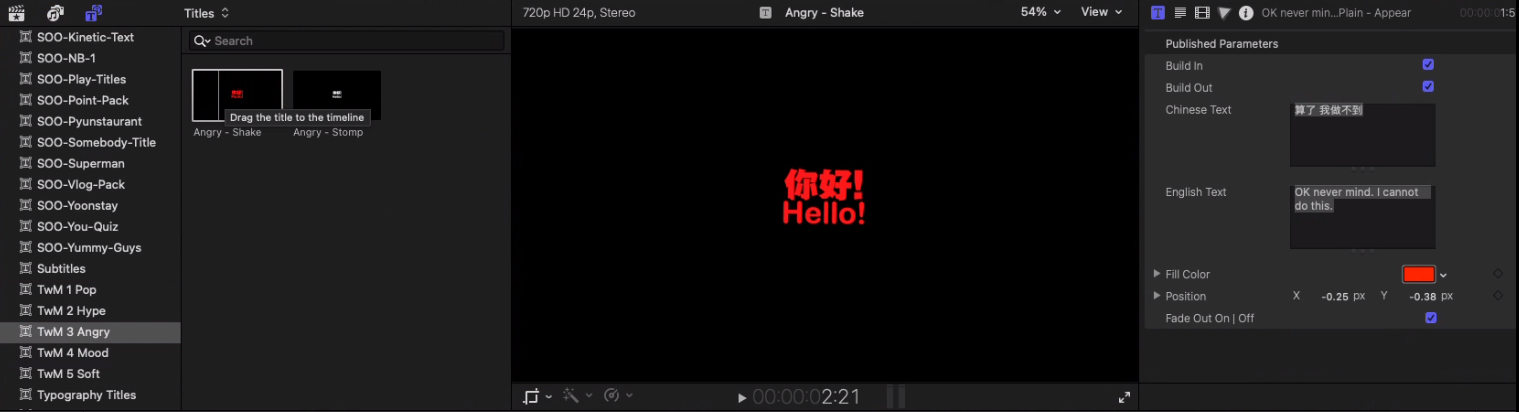
Bilingual Final Cut Pro caption templates
English and Chinese captions stay consistent. I am sending them to the YouTube clients I edit for, and they fit straight into their existing workflow.
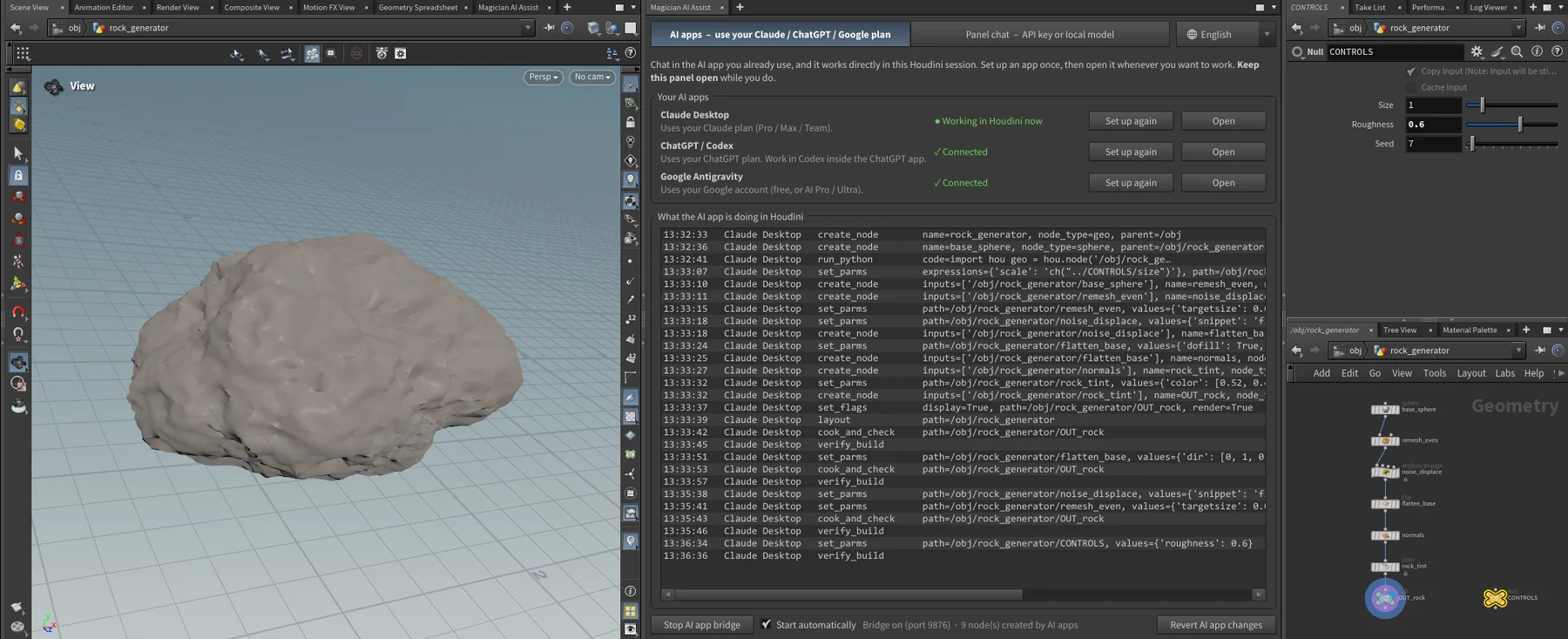
Magician AI Assist
A Houdini plugin that builds node networks through the AI apps you already use.
3. Process written down, even for one-off pieces
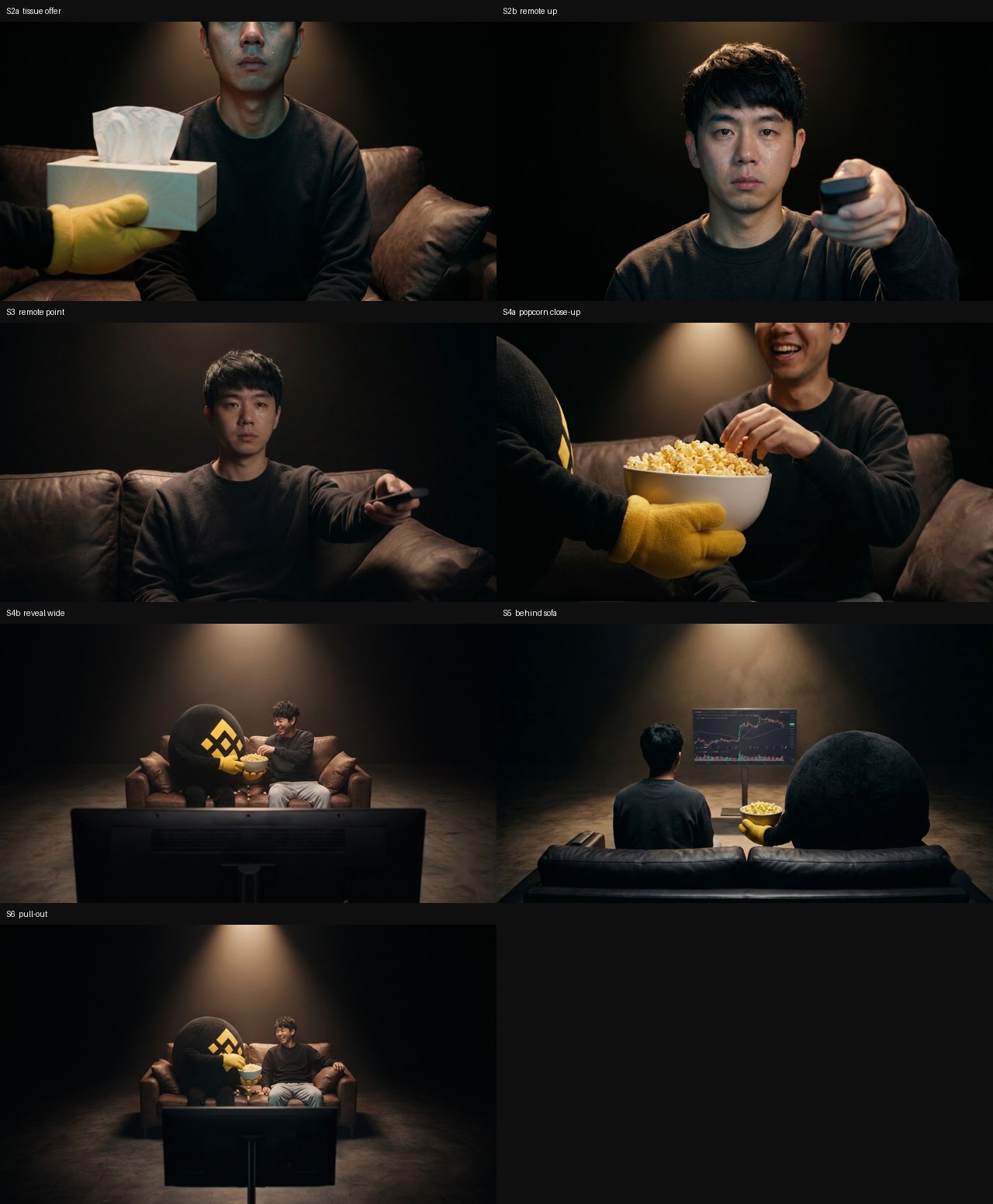
My concept ads are my own pieces, not commissions. I documented them in full so that someone could rebuild any shot from the notes: Houdini blocking as a camera reference, stills first in Google Flow, shot-by-shot prompts with "must not move" rules, then the Premiere Pro edit.
What I have learned
- Write down what must not change. A label, a prop, the camera. Those rules do most of the work in keeping shots consistent.
- Keep human checkpoints, and put them where taste matters.
- If I explain a step twice, I turn it into a tool.
See them in action
- Seedance 2.5 ComfyUI nodes: the Vault and how I built them
- Magician AI Assist: magicianaiassist.com
- Binance concept ad, full process: read the post
- 17HOURS concept ad, full process: read the post