
I Built My Own ComfyUI Node for Seedance 2.5. The 480p-to-1080p Draft Workflow Is the Real Game Changer
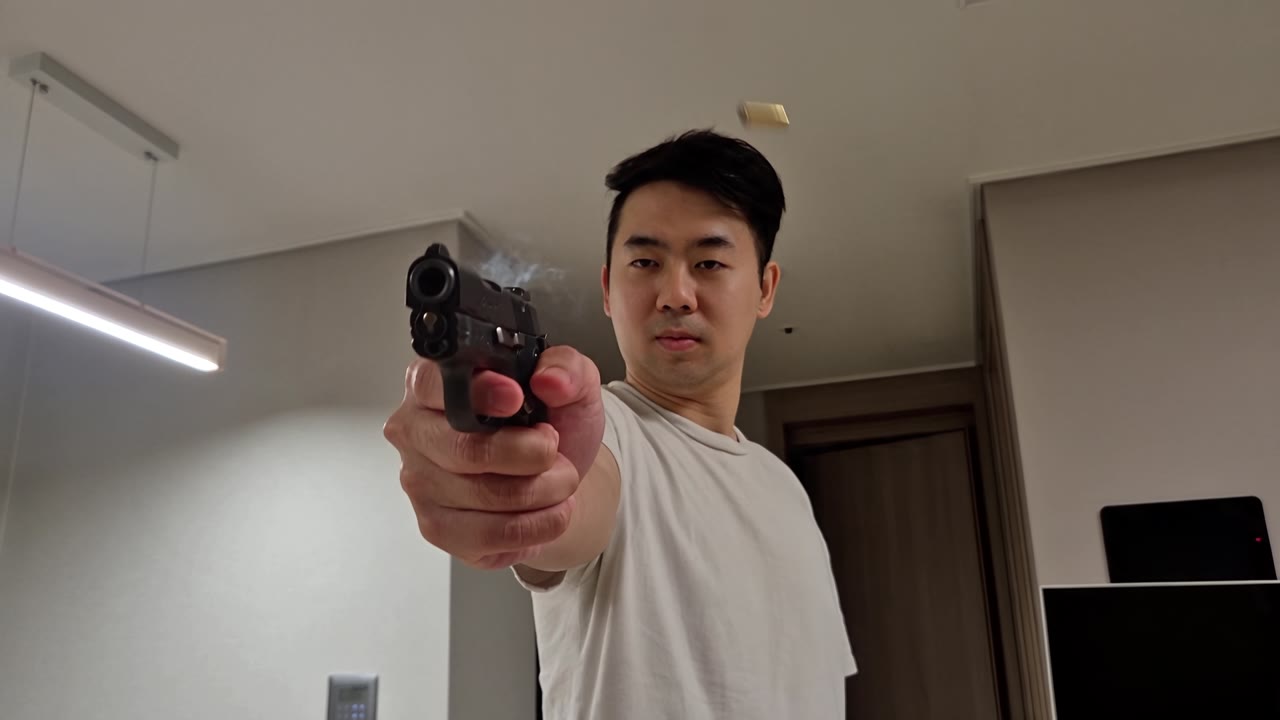
I have no engineering background, and I still built a ComfyUI node that calls BytePlus Seedance 2.5 directly. It skips ComfyUI's partner nodes, costs less per render, and a draft-then-final workflow lets me control my spending before I commit to a full-quality video.
Why I built it
ComfyUI's partner nodes are convenient, but you pay a markup. On one 5-second 1080p video-to-video render, ComfyUI charged 1,032 credits, about $4.89. The same job at BytePlus's list rate would be about $3.42, roughly 30% less. ComfyUI's own rate table works out to 1.43 times BytePlus's list rates, so the gap is consistent, not a one-off.
Going direct also unlocked things the partner node doesn't give me. Here are the features, then the workflow that matters most.
What the node does
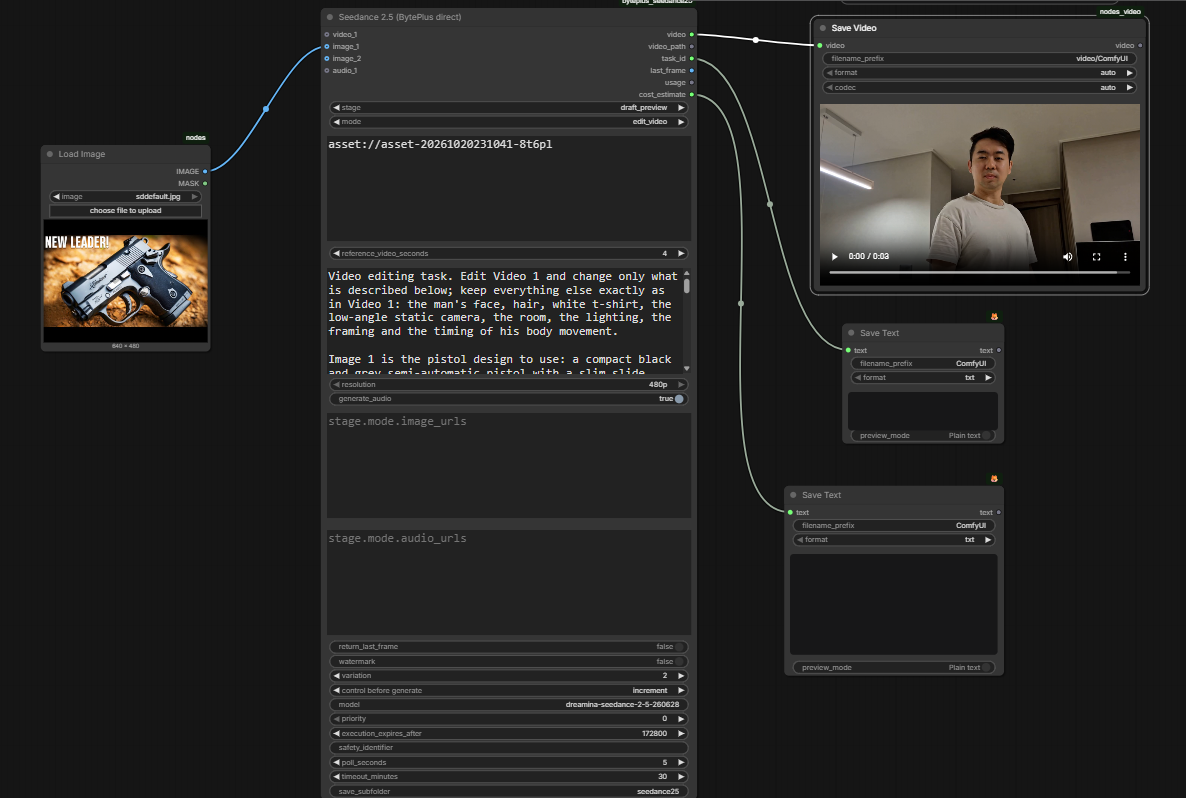
- All the documented modes in one node: text-to-video, first frame, first and last frame, reference, edit video and extend video.
- Parameters show and hide automatically for the mode you pick, so I only see what applies.
- A live price estimate shows on the node, in dollars, as I change settings.
- Reference videos upload through my own Cloudflare R2 bucket, so I don't need a public link.
- It supports an approved-face Asset ID, which matters when the footage shows a real person (more on that below).
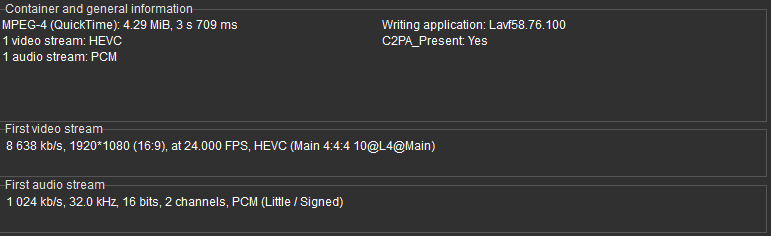
- It outputs .mov files: HEVC 10-bit 4:4:4 with PCM audio, which I confirmed in MediaInfo. That is a much better starting point for After Effects grading than a compressed mp4.
The 480p-to-1080p workflow
This is the part I find a game changer, because it turns generation from a gamble into a budget.
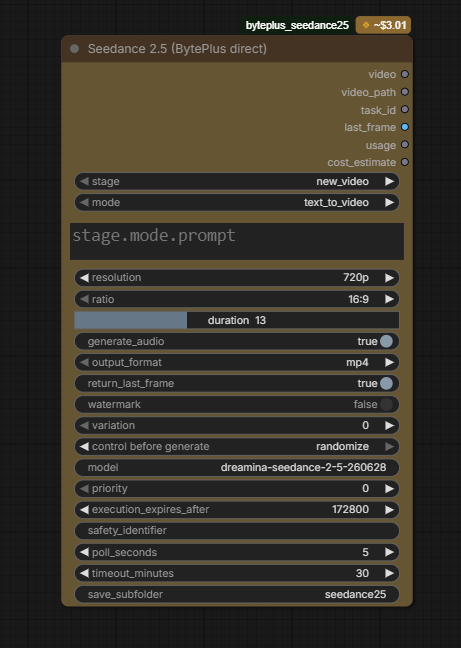
Seedance's draft mode renders a 480p preview. If I like it, I finalize that exact draft at 1080p. The final reuses the draft's prompt, references and settings, so I'm not rewriting anything.
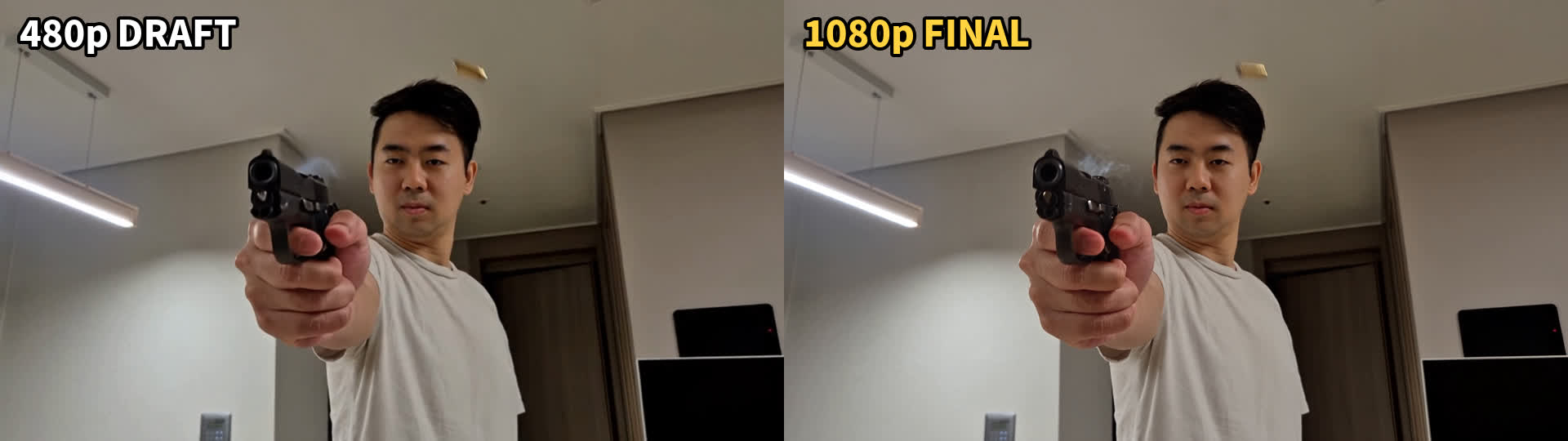
Why it saves money: Seedance charges by tokens, and a 480p frame uses roughly one-fifth of the tokens of a 1080p frame. The per-token rate is similar, so a draft costs about a fifth of the final. For my 4-second edit, my estimate was around $0.50 for the draft and about $2.70 for 1080p (estimates from list rates, not my bill).
So the routine becomes:
- Run a cheap 480p draft and check the motion, timing and composition.
- Fix the prompt or the references, and run another draft if needed.
- Only when a draft looks right, finalize it at 1080p.
I never pay full price for a take I'm going to throw away. Requests that are rejected up front should not cost anything either. My first attempt was refused because BytePlus's filter flagged my own face in the reference video, and that failed request wasn't billed as a render.
Two practical notes: the draft is 480p only, and task IDs expire after 7 days, so finalize your keepers within a week.
A real example
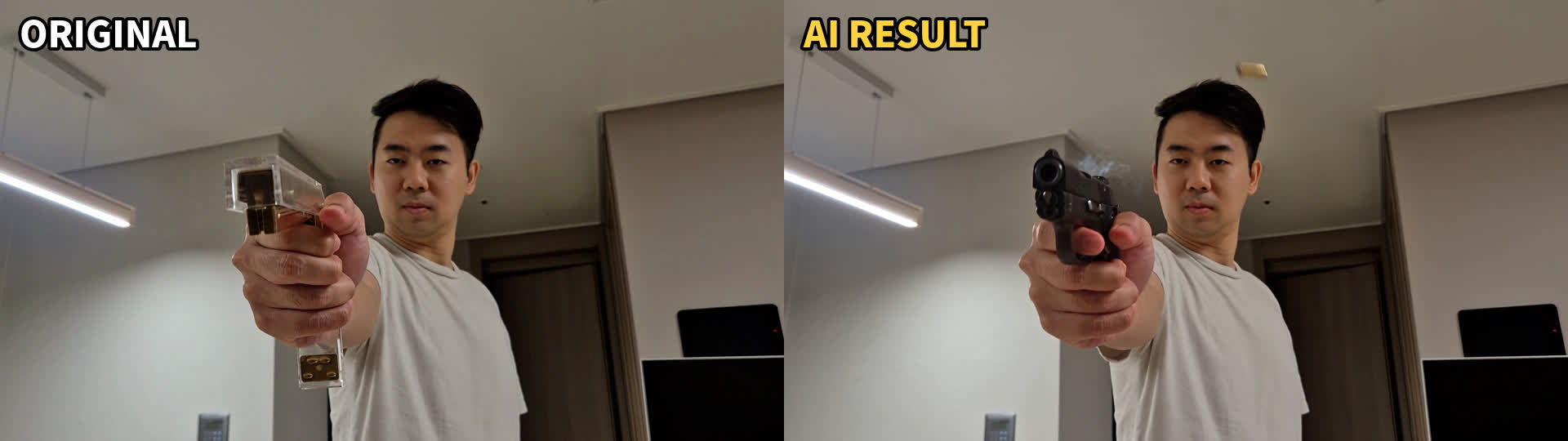
I edited a clip of me holding a stapler so it became a pistol firing, with flash, smoke and an ejected casing. The first draft was blocked by the real-person filter. After I registered myself as an approved face asset and used its asset ID, the draft went through, and I finalized it at 1080p as a .mov. The result came out about 3.7 seconds, slightly shorter than my 4-second source, so plan for that.
Caveats
- The price figures use BytePlus's list rates as reported by third-party sources and match ComfyUI's own table, but I haven't confirmed them on BytePlus's official page. My own bills will vary.
- This is a personal tool I built in a chat with Claude. I'm not affiliated with BytePlus or ComfyUI.
- Real-person footage needs BytePlus's approved-face route. Without it, requests are rejected.
Takeaway
Going direct saved me about 30% per render. The draft-then-final workflow saves more, because it stops me paying for takes I would have discarded. If you generate a lot of AI video, that cost control matters more than any single feature.